Classroom Name Picker: Free Random Student Wheel for Teachers
The Classroom Name Picker is a free, privacy-first random student selector engineered for K-12 educators, college professors, and instructional leaders. Designed to foster equitable participation and eliminate cold-calling anxiety, it features a no-repeat "Eliminate Picked" turn tracker, zero-loss attendance toggles, 3 pacing tempos (Blitz 1.5s, Standard 4s, Suspense 8s), 30-second pedagogical wait-time timers, psychological safety lifelines, and 100% COPPA & FERPA student privacy with zero database logging.

COPPA & FERPA Privacy Shield
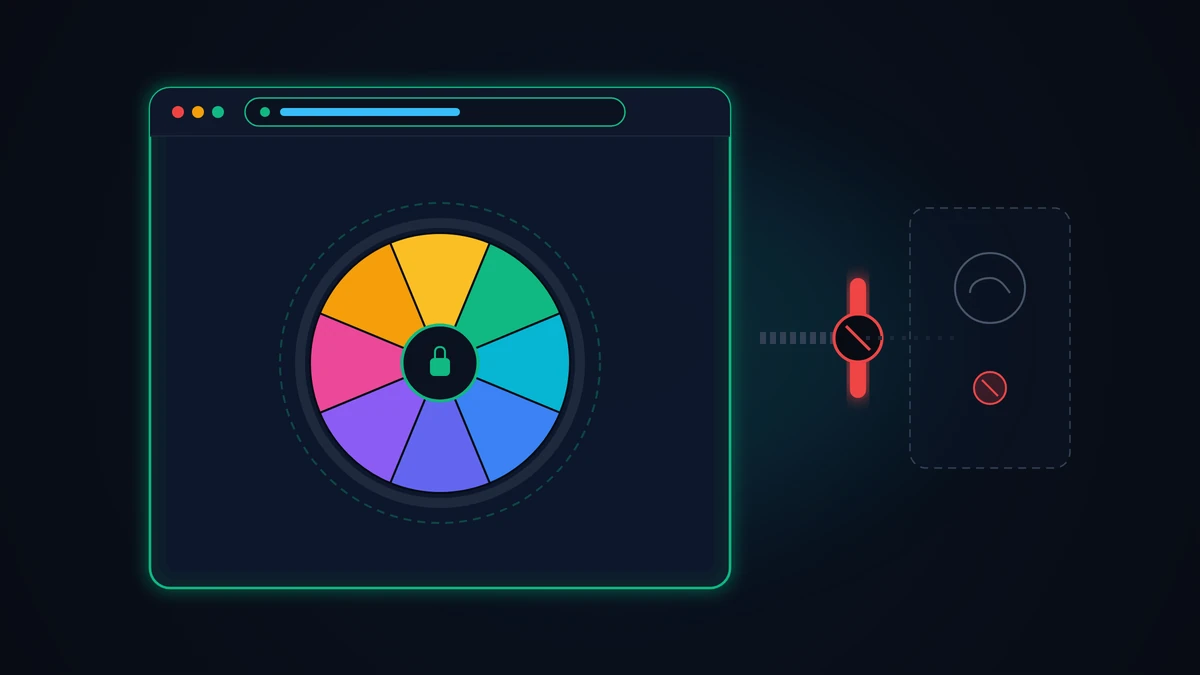
Zero student names or rosters are saved to remote servers or tracked via advertising cookies. Operates 100% client-side in browser RAM for strict school district compliance.
Eliminate Picked (Fair Turns)
Selected students are automatically moved to the Turn Tracker tray, recalculating remaining slice angles so every student participates before anyone is called twice.
Zero-Loss Attendance Matrix
Toggle students between Present and Absent Today with one tap. Absent students are excluded from today's active wheel without being deleted from your permanent class roster.
30s Think-Time (Wait-Time Timer)
Grounded in Mary Budd Rowe's pedagogical research, integrated 10s, 30s, and 60s countdown timers afford students essential cognitive reflection time before answering.
Instructional Pacing Engine
Switch between Blitz (1.5s) for speed drills, Standard (4s) for classroom discussions, and Suspense (8s) for Friday games and assemblies.
Verified Participation CSV
Export complete turn records with timestamped order, call status, and buddy collaboration details into a formatted CSV for Google Classroom and Canvas gradebooks.
From Cold-Calling to Warm-Calling: Fostering Psychological Safety & Active Equity
When classroom discussions rely only on hands raised, a small group of vocal students inevitably dominates the room. In a typical K-12 class, about 20% of confident speakers provide 80% of verbal answers. Hesitant learners, English Language Learners (ELLs), and quiet students often slide into passive listening, widening participation gaps over the school year.
In Doug Lemov's Teach Like a Champion, Cold Calling (Technique 22) proved that calling on students systematically keeps everyone focused. Yet educators have learned that unannounced calling can feel like a "gotcha" trap, causing nervous students to freeze up. For practical phrasing scripts and de-escalation tips, see our guide on cold calling students without anxiety.
The Classroom Name Picker brings modern Warm Calling (Scaffolded Equity Calling) to life by combining fair randomization with built-in reflection time:
- Question First, Name Second: Posing the thinking prompt to the entire room before spinning ensures every student formulates an answer in their minds, rather than tuning out once a single hand is raised.
- Neutralizes Unconscious Bias: Externalizing selection to an impartial mathematical wheel completely removes perceived teacher favoritism or punitive targeting, establishing predictable psychological safety.
- Built-In Scaffolding (Wait-Time & Lifelines): Instead of demanding an instantaneous response, the wheel provides dedicated reflection timers and peer collaboration lifelines, converting anxiety into collaborative competence.
The Mary Budd Rowe Wait-Time Science: Why Pausing 3–5 Seconds Transforms Depth
In landmark empirical investigations across hundreds of classroom environments, Dr. Mary Budd Rowe (University of Florida) revealed that the typical teacher pauses less than 0.9 to 1.5 seconds after asking a question before calling on a student or answering the question themselves. When random cold-calling tools demand an immediate verbal response, cognitive overload triggers an amygdala "freeze" response, leading to blank stares and demoralizing "I don't know" answers.
Dr. Rowe demonstrated that deliberately extending Wait-Time 1 (the pause between question and selection) and Wait-Time 2 (the pause between student selection and verbal response) to 3 to 5 seconds triggers fundamental instructional breakthroughs:
Wait-Time > 3.0s ⇒ Student Utterance Length Increases by 300%–700%
Failure-to-respond rates plummet from over 30% to below 5%, unsolicited analytical questions multiply, and contributions from previously reluctant learners surge.
Our Classroom Name Picker embeds Dr. Rowe's findings directly into the Winner dialog via dedicated 10s Quick Think, 30s Deep Think, and 60s Partner Think timers. An animated visual progress bar provides the selected student with structured, socially protected cognitive processing time before speaking.
Psychological Safety Lifelines: Ask a Buddy & Pass with Grace
Equitable classrooms balance academic rigor with emotional safety. If a student experiences acute freeze or panic when called upon, punitive responses destroy classroom rapport. The Classroom Name Picker equips educators with two responsive lifelines directly inside the selection modal:
- 🤝 Ask a Buddy (Collaborative Turn-Taking): Clicking "Ask a Buddy" commands the engine to draw an additional classmate from the remaining active roster. Both students confer or co-answer, converting an intimidating solo cold-call into cooperative peer problem-solving.
- 🕊️ Pass with Grace (Dignified Pass): Permits a student experiencing overwhelming anxiety to take a graceful pass. The turn tracker quietly logs the status without academic penalty and returns their slice to the wheel for a gentle second opportunity later in the period.
Why a Dedicated Spinner Beats Wooden Popsicle Sticks and Clunky LMS Tools
Educators have historically oscillated between two extremes: low-tech tactile props like wooden craft sticks, and heavyweight enterprise learning management systems (LMS). Understanding why both extremes create classroom friction highlights why a dedicated, client-side digital spinner occupies the optimal pedagogical sweet spot:
| Instructional Criterion | Low-Tech Popsicle Sticks | Enterprise LMS (Google/Canvas) | TheSpinTheWheel Picker |
|---|---|---|---|
| Setup Time & Agility | Slow (handwrite 30 sticks per class) | Moderate (login, navigate course menus) | Instant (1-click paste & clean) |
| Perceived Fairness | Low (students suspect teacher peeking) | Neutral (clinical list picker) | High (public, transparent wheel spin) |
| Handling Absent Students | Manual sorting out and losing sticks | Requires official attendance sync | 1-Tap Zero-Loss Attendance Matrix |
| Projector Privacy Hazards | None (physical cup on desk) | Severe (risks showing grades/IEP flags) | Zero (isolated, ad-safe smartboard UI) |
| Multi-Period Roaming | Clunky (carrying 6 labeled cups) | Requires switching LMS courses | 8 Named Tabs in 1 Browser Session |
| Cooperative Group Bridge | Tedious manual re-dealing | Complex backend grouping tool | 1-Click Bridge to Team Picker Wheel |
- Why Popsicle Sticks Break Down: Popsicle sticks have been a classroom staple for decades, but students often suspect teachers are peeking into the cup. Juggling separate cups across rotating class periods also leads to dropped sticks, worn labels, and none of the visual excitement of a digital display. Physical craft sticks also introduce subtle tactile bias compared to cryptographic pseudo-random selection.
- Why Projecting LMS Screens Fails: Platforms like Canvas, PowerSchool, or Google Classroom are built for administrative record-keeping, not live classroom interaction. Displaying an LMS roster on a classroom smartboard creates serious privacy risks, such as accidentally exposing student accommodations, behavior flags, or missing grades.
- The Optimal Pedagogical Sweet Spot: A dedicated, client-side digital spinner combines the transparent impartiality of public randomization with high-contrast smartboard legibility, built-in pedagogical wait timers, and zero risk of student data exposure.
Grade-Level Strategies: From Elementary Warmups to Socratic Seminars
Effective random name selection adapts to developmental stages and subject disciplines. Rather than treating turn-taking as a generic lottery, top educators calibrate their pacing and modalities to match instructional goals:
1. Elementary Classrooms (Grades K–5): Joyful Structure & Predictability
In early childhood and elementary settings, visual and auditory feedback anchor classroom transitions. (For 25+ gamified review formats and subject templates, browse our curated classroom wheel spinner activities). Recommended configuration:
- Gentle Audio Profile: Select
🔔 Gentle School Chimeto signal turns pleasantly without startling sensory-sensitive students. - Daily Roles & Line Leaders: Use the wheel for high-stakes classroom responsibilities (Line Leader, Paper Passer, Morning Meeting Greeter) where students place immense value on visible, absolute fairness.
- Suspense Mode (8.0s): Use the suspenseful 8-second deceleration for Friday celebrations, reading chair awards, and mystery reader reveals.
2. Middle & High School (Grades 6–12): High-Speed Retrieval & Socratic Seminars
Secondary educators face tight 45-to-90-minute block periods where pacing is paramount. Recommended configuration:
- ⚡ Blitz Mode (1.5s) for Retrieval Practice: During warmup drills, foreign language vocabulary flashcards, or mental math speed checks, switch to Blitz Mode. The rapid 1.5-second deceleration eliminates dead instructional time, cycling through 15 rapid responses in under 4 minutes.
- 🎯 Standard Mode (4.0s) for Socratic Seminars: Use the standard 4-second tempo paired with the
30s Deep Thinktimer for text analysis in English, history debates, and lab hypothesis defenses. - Participation Accountability via CSV: Click
Export CSVat the conclusion of Socratic discussions to instantly obtain timestamped records of who spoke and who utilized buddy lifelines for formative assessment logging.
3. Think-Pair-Share & Group Bridge: Moving from Solo Turns to Teams
Individual cold-calling is only the first phase of active learning. When a classroom discussion reveals a complex, multi-layered problem, forcing an individual student to formulate a complete answer alone can stifle progress.
Our architecture enables an instant pedagogical bridge: clicking the "Create Groups 👥" button in the quick action bar automatically transports all currently present students into the Team Picker Wheel without manual copy-pasting. Teachers can instantly divide the room into balanced 2-person think-pair-share dyads, 4-person lab cohorts, or jigsaw study groups in a single click.
4. Substitute Teacher Plans: Zero-Login Sharing via Bookmarks
Leaving class lists for substitute teachers is often frustrating. School security rules usually prohibit logging guest teachers into personal Google Drive accounts or LMS grading portals.
Our Stateless URL Hash Sharing solves this completely. Click Share Roster and paste the generated link directly into your sub plans. The URL compresses your roster directly into the web address (for example, thespinthewheel.com/classroom-name-picker#names=...). Guest teachers can open the link on any classroom projector without passwords, without creating accounts, and with zero student data sent across the network.
School Firewall Whitelisting & Smartboard Setup Guide
School technology environments enforce stringent network filtering and unique hardware constraints. Understanding how to configure the Classroom Name Picker ensures uninterrupted instruction on any classroom interactive flat panel:
Why Traditional Spinners Get Blocked by School Firewalls (Securly, GoGuardian, Fortinet)
Teachers frequently report that commercial spinning wheel websites suddenly stop working on school Wi-Fi, returning restriction screens from district content filters (such as Securly, Lightspeed Systems, GoGuardian, or Fortinet). This occurs due to two major vulnerabilities:
- Erroneous "Gambling" Categorization: Automated firewall crawlers often misclassify spinning wheels with bright radial pie slices and clackers as online gambling or roulette games unless explicitly vetted as an educational tool.
- Third-Party Ad Tracking Scripts: Ad-supported spinners load tracking pixels, analytics beacons, and dynamic programmatic banner auctions that trigger district heuristic security shields.
The TheSpinTheWheel Compliance Guarantee: Our application is engineered from the ground up as a pure EducationalApplication. It loads zero external advertising scripts, sets zero behavioral profiling cookies, and executes 100% client-side in browser RAM. As a result, it easily passes district IT whitelisting and complies strictly with student data privacy mandates (COPPA, FERPA, Illinois SOPPA, California AB 1584). Review our technical whitepaper on COPPA and FERPA classroom safety for full architectural verification.
Smartboard Best Practices: Remote Hotkeys & Offline Protection
Whether projecting onto a Promethean ActivPanel, SMART Board, ViewSonic ViewBoard, BenQ Board, or standard HDMI projector:
- Zero-Wi-Fi Resilience (Offline Protection): School Wi-Fi networks frequently drop or throttle during morning peak hours. Because the wheel runs entirely inside your browser's local memory, temporary internet outages will never freeze the spinner, wipe your roster, or interrupt class discussions once the page is loaded.
- Bypass Native Panel Browsers: Interactive displays often run stripped-down Android operating systems with outdated built-in browsers that struggle with high-refresh HTML5 Canvas animations. For maximum 60 FPS fluidity, connect your teacher laptop (PC, Mac, or Chromebook) via HDMI/USB-C or cast wirelessly.
- Zen Smartboard Theater View: Click
Zen Smartboard(or press F) to collapse all sidebar controls, entries, and settings, expanding the wheel into a distraction-free full-screen stage tailored for auditorium and back-of-room visibility. - Teacher Remote Hotkeys: You do not need to remain tethered to the board. Keep a standard handheld Bluetooth presentation clicker or wireless keyboard in hand: press Space to spin, R to reset turns, or M to mute sound effects while circulating freely among student desks.
Classroom Name Picker vs Alternative Educational Tools
Evaluating privacy compliance, instructional agility, and smartboard utility across top tools:
| Feature & Capability | TheSpinTheWheel | Wheel of Names | Flippity Name Picker | Classroomscreen |
|---|---|---|---|---|
| Student Privacy Model | 100% Client-Side (Zero DB) | Encrypted Server Disk | Requires Public Google Sheet | Cloud User Accounts |
| Zero-Loss Absent Toggle | ✓ Yes (1-Tap Checklist) | ✗ Must delete & re-type | ✗ Must edit Google Sheet | ✗ Basic manual edit |
| Wait-Time Think Timer | ✓ 10s / 30s / 60s Built-in | ✗ None | ✗ None | Separate widget |
| Equity Lifelines (Buddy/Pass) | ✓ Built into Winner Dialog | ✗ None | ✗ None | ✗ None |
| Spin Tempo Control | Blitz (1.5s) / 4s / 8s | Slider in settings | Fixed speed | Fixed speed |
| Turn Elimination Ledger | Dual Tray + CSV Export | Name vanishes from wheel | Basic crossing out | Simple toggle |
| Bridge to Group Maker | 1-Click to Team Picker | ✗ None | View switch in Sheet | Group maker widget |
| Speed (Mobile LCP Baseline)* | < 0.6s (Instant SSR) | ~ 2.1s (Ad/Script Overhead) | ~ 1.8s (Sheets Iframe Load) | ~ 2.8s (Multi-Widget Dashboard) |
*LCP (Largest Contentful Paint) benchmarks measured under standard Chrome Lighthouse mobile 4G throttling. Actual loading times may vary based on school network filters and classroom hardware.
For an architectural audit of student data protection and school district IT compliance, review our comprehensive COPPA and FERPA classroom safety research.
COPPA & FERPA Classroom Safety: Stateless Tool Architecture
Discover how zero-login stateless tools eliminate roster leak risks and school district IT approval friction. Review our official Student Privacy Pledge (COPPA & FERPA) for zero-PII guarantees.
Frequently Asked Questions About Classroom Name Pickers
How does the 'Eliminate Picked' mode work for classroom turn-taking?
When 'Eliminate Picked' is active, whenever a student is selected by the wheel, their name is smoothly removed from the remaining active wheel slices and recorded in the Class Turn Tracker tray. This guarantees every student gets a fair turn before anyone is called twice. Teachers can return any student back to the wheel with 1 click.
How does the Zero-Loss Attendance Matrix handle absent students without deleting them?
The Attendance Checklist lets teachers toggle any student between 'Present' and 'Absent Today' with a single tap. Students marked absent are immediately excluded from active wheel slices for today's session, but remain saved in your class roster for tomorrow. Zero re-typing required.
What is the 30-Second Think-Time Timer and how does it reduce student anxiety?
Based on Mary Budd Rowe's pedagogical wait-time research, granting students 3 to 5 seconds of think time drastically improves cognitive complexity and relieves cold-calling panic. Our winner dialog includes 10s, 30s, and 60s countdown timers so students can organize their thoughts before speaking.
What are the Psychological Safety Lifelines (Ask a Buddy & Pass with Grace)?
Teachers can tap 'Ask a Buddy' to pair the chosen student with a classmate for peer support on challenging questions. If an anxious student needs a break, 'Pass with Grace' lets them pass quietly and returns their name to the wheel without penalty.
Can I adjust the spin speed for quick drills vs celebration assemblies?
Yes. Choose Blitz Mode (1.5s) for fast-paced vocabulary blitzes and speed math, Standard Mode (4s) for everyday discussions, or Suspense Mode (8s) for Friday rewards and celebratory games.
Can I export student turn records into a grading spreadsheet?
Yes. Click 'Export CSV' in the Turn Tracker tray to download a clean spreadsheet. It records student names, calling order, timestamps, and answer status for easy upload into Google Classroom or Canvas gradebooks.
Can I send my class roster directly into the Team Picker Wheel to make groups?
Yes. Click 'Create Groups' in the action bar to bridge all currently present students into the Team Picker Wheel with zero copy-pasting, instantly generating balanced cooperative learning groups or lab pairs.
Is this classroom name picker compliant with COPPA and FERPA privacy regulations?
Yes, 100%. The application operates completely client-side in the teacher's browser memory. Zero student names or roster records are ever transmitted over the network or stored in external databases. It requires no accounts, sets zero tracking cookies, and displays zero behavioral profiling ads.
How do I ensure school web filters (like Securly, GoGuardian, or Lightspeed) do not block the wheel?
Unlike ad-supported spinners that school firewalls flag for gambling or ad-tracker scripts, TheSpinTheWheel is categorized strictly as an educational utility. It loads zero external advertising scripts and runs 100% client-side, making it safe from automated content filter blocks.
Will I lose my class rosters if I clear my browser cookies or change computers?
Class rosters stay saved in your browser's local storage. If your school IT system clears browser data on logout, click 'Share Roster'. You will get a permanent bookmarkable link with your roster saved in the URL, letting you restore your names on any classroom computer in seconds.
Can I assign weighted chances or extra raffle tickets for student behavior rewards?
The Classroom Name Picker is mathematically engineered for democratic, 1-to-1 participation equity—every active student has an equal slice probability before being eliminated. If your classroom activity requires unequal probabilities (such as extra tickets earned through PBIS rewards, reading points, or classroom raffles), switch to our specialized Weighted Wheel, which allows custom numeric ratios for each participant.